
The world of robotics is constantly evolving, with robotic arms playing a pivotal role in industries, research, and education. Developing and testing these intricate machines can be complex and costly. This is where a robust robotic arm simulator, offering real-time interaction via a microcontroller USB, becomes an indispensable tool. Such a simulator bridges the gap between theoretical design and practical implementation, allowing engineers, students, and hobbyists to experiment, program, and refine robotic movements in a safe, virtual environment before deploying them on physical hardware.
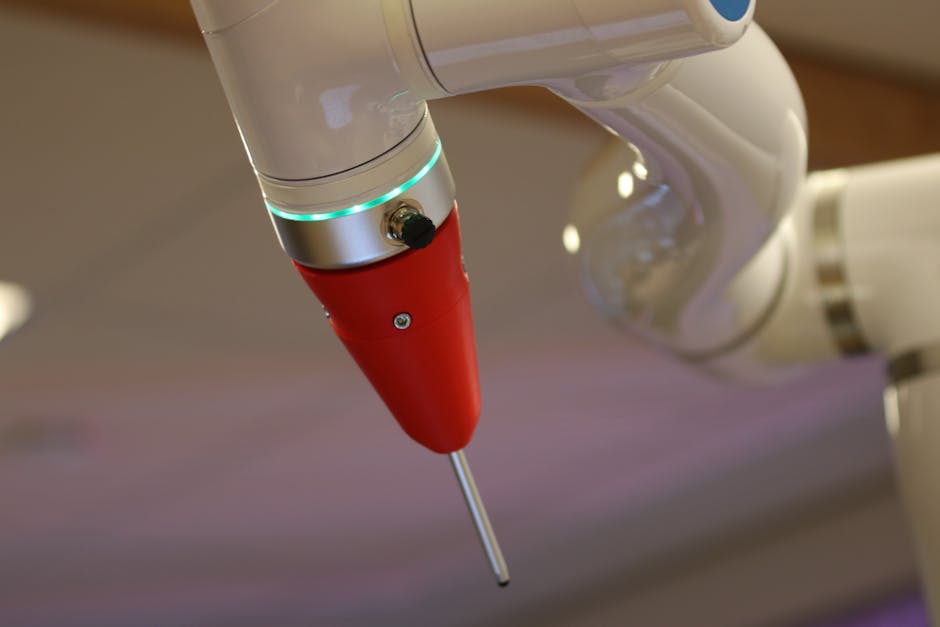
A real-time robotic arm simulator provides a dynamic platform to visualize and manipulate multi-degree-of-freedom (DOF) robotic systems. The 'real-time' aspect is crucial, as it ensures that the virtual arm responds instantly to commands, mimicking the latency and behavior of a physical robot. This immediacy is essential for accurate control system design and intuitive user experience, making complex tasks like trajectory planning and inverse kinematics more accessible. Imagine being able to fine-tune the movements of a robot arm from anywhere with a seamless web interface. For those interested in exploring different robotic arm configurations, including 3-DOF designs, you can delve deeper into a 3D Robotic Arm Simulator for comprehensive insights.
The Role of Microcontrollers in Real-Time Simulation
At the heart of real-time control for a robotic arm simulator is the microcontroller. Devices like Arduino boards are popular choices due to their accessibility, robust community support, and ease of programming. A microcontroller acts as the brain, processing commands from a user interface (often via USB) and translating them into signals that control the virtual arm's joints. The USB interface serves as a reliable conduit for high-speed data exchange, enabling smooth and responsive control. This ensures that the simulated arm's movements are precisely synchronized with the user's input, making the virtual experience feel incredibly real.
Interfacing the simulator with a microcontroller via USB allows for bidirectional communication. Control signals from the user are sent to the microcontroller, which then relays them to the simulation software. Conversely, sensor data or status updates from the virtual environment can be sent back to the microcontroller, enabling closed-loop control and more advanced interactive scenarios. Understanding the pinout and capabilities of common microcontrollers, such as the Arduino Uno, is vital for setting up these communication links effectively. You can explore an interactive Arduino Uno Pinout Explorer to understand how different components connect and function.
Developing the Simulator: Key Components
Building an effective robotic arm simulator involves several key components:
- 3D Visualization Engine: A graphics engine is necessary to render the robotic arm and its environment. This can range from simple wireframe models to highly detailed, textured simulations.
- Kinematics Solver: This mathematical core calculates the arm's position and orientation (forward kinematics) based on joint angles and determines the joint angles required to reach a specific target (inverse kinematics).
- Physics Engine: For more advanced simulations, a physics engine can add realism by simulating gravity, collisions, and joint limits.
- Communication Protocol: A protocol to send commands and receive feedback between the simulation software and the microcontroller. Serial communication over USB is commonly used.
- User Interface: An intuitive interface for users to input commands, monitor the arm's status, and visualize its movements. This can be a desktop application or a web-based interface.
Advantages of Real-Time Microcontroller-Driven Simulation
The synergy between a robotic arm simulator and a real-time microcontroller offers numerous benefits. It drastically reduces development costs and risks associated with physical prototypes. Users can test complex algorithms, experiment with different control strategies, and identify potential issues without damaging expensive hardware. This is particularly beneficial for educational purposes, allowing students to gain hands-on experience in robotics programming and control without needing access to a physical robot. Moreover, it accelerates the iterative design process, enabling rapid prototyping and testing of new robotic arm concepts.
One critical aspect of controlling robotic arms, whether virtual or physical, is managing the power delivered to the motors. Pulse Width Modulation (PWM) is a common technique used for this purpose, allowing precise control over motor speed and torque. To gain a deeper understanding of how this works, consider exploring resources like a PWM Duty Cycle Calculator for Motor Control. This knowledge is directly applicable when simulating or building a robotic arm that responds to real-time inputs.
In conclusion, a real-time robotic arm simulator, enhanced by microcontroller USB integration, is a powerful tool for anyone involved in robotics. It offers a safe, flexible, and cost-effective platform for learning, development, and innovation, pushing the boundaries of what's possible in automation and control.
